Binarium Deposit Methods, Minimums and Processing Times

Before initiating a transfer, confirm your account verification status and preferred deposit currency in the wallet section. When you submit a deposit, follow the on-screen steps for your chosen method, keep transaction receipts and allow for payment-provider processing; some card and bank transfers clear instantly while others take several business days. If a deposit is delayed or rejected, review the provider message and contact support with the transaction ID.

Funding and Withdrawal methods
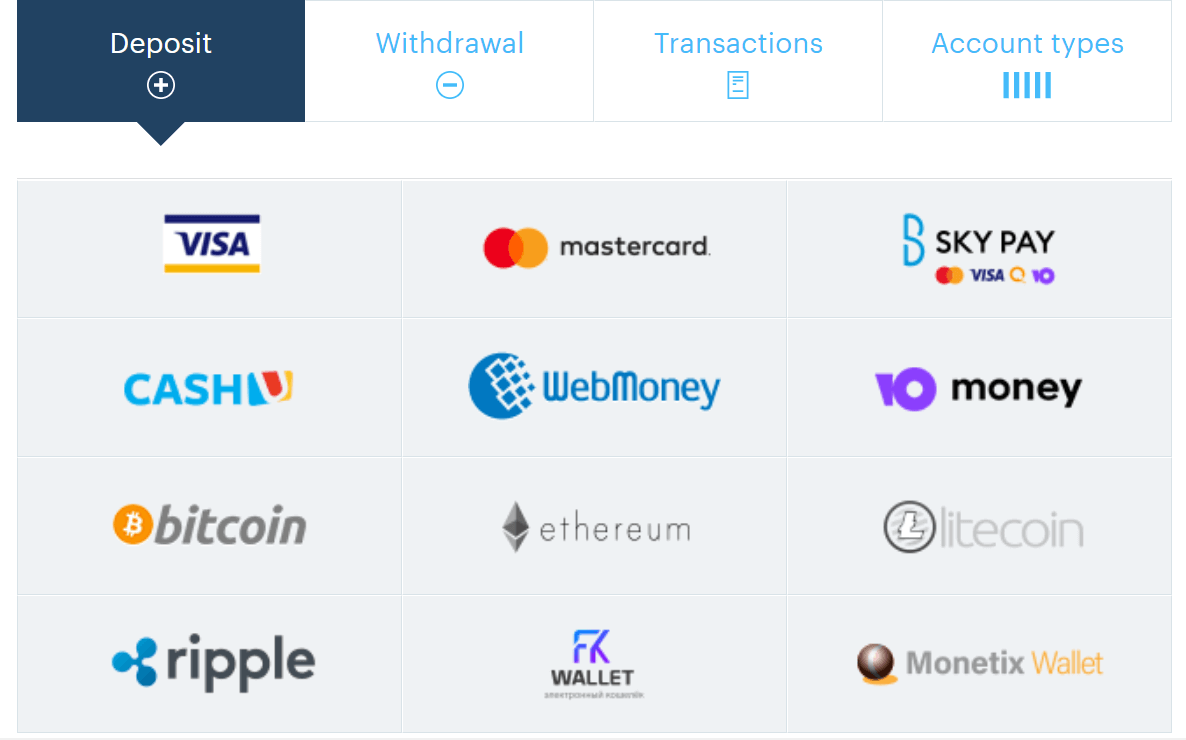
Make deposits and withdraw payouts with your VISA, Mastercard and Mir credit cards, Qiwi, Yandex.Money and WebMoney e-wallets. We also accept Bitcoin, Ethereum, Litecoin and Ripple cryptocurrencies.
How to Deposit on Binarium
There is no need to send us multiple documents scans to confirm your identity. Verification is not required if you withdraw your funds using the same billing information that was used for funds deposit.Bonus is additional funds that are provided by the company to increase the trading potential of traders
When making a deposit, a certain amount of bonus money may be credited to your account, size of bonus depends on the size of your deposit.
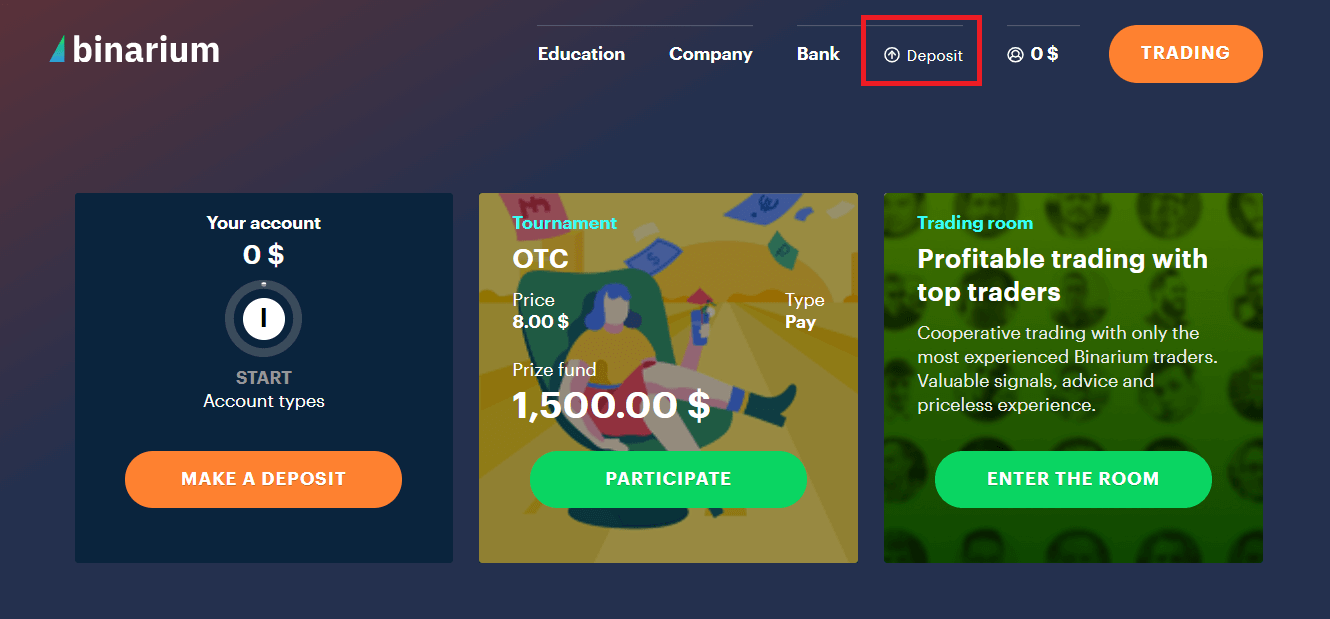
1. After Login Successfully to Binarium, you will see the Picture as below, Click "Deposit"
2. Choose the Deposit Method, exp: MasterCard
3. Input the Amount and Pay
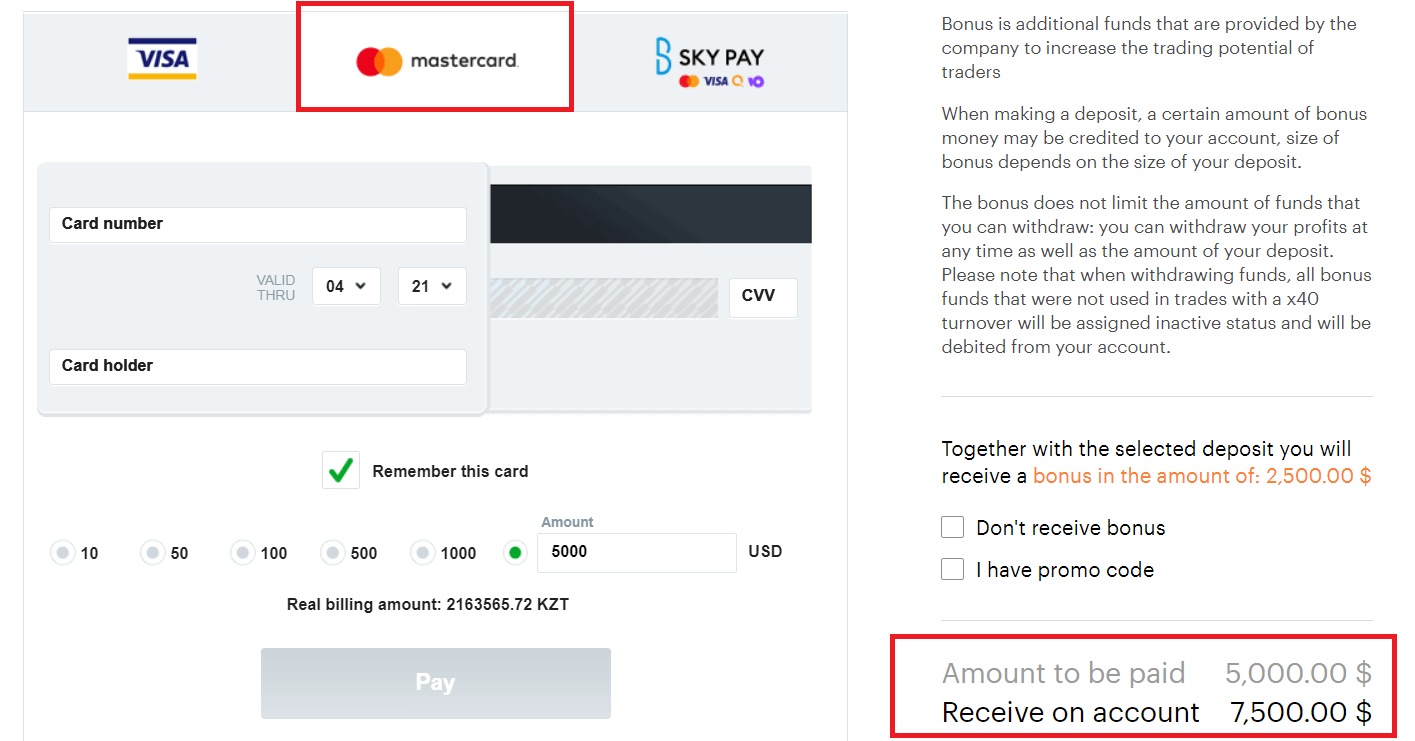
The bonus does not limit the amount of funds that you can withdraw: you can withdraw your profits at any time as well as the amount of your deposit. Please note that when withdrawing funds, all bonus funds that were not used in trades with a x40 turnover will be assigned inactive status and will be debited from your account.
Frequently Asked Questions (FAQ)
Minimum Deposit on Binarium
The minimum deposit is $5, €5, A$5, ₽300 or ₴150. Your first investment brings real profit closer.Maximum deposit on Binarium
The maximum amount you can deposit in a single transaction is $10,000, €10,000, A$10,000, ₽600,000 or ₴250,000. There is no limit to the number of top up transactions.
When will my money reach my Binarium account?
Your deposit is reflected in your account as soon as you confirm the payment. The money on the bank account is reserved, and then immediately displayed on the platform and in your Binarium account.No Deposit and Withdrawal fees
More than this. We cover your payment system fees when you top up your account or withdraw funds.
However, if your trading volume (the sum of all your trades) isnt at least twice as big as your deposit, we may not cover the 10% fee of the requested withdrawal amount.
Conclusion: Start Trading Easily with a Quick Deposit on Binarium
Depositing money on Binarium is a simple and secure process that enables traders to access market opportunities quickly. By following these steps and choosing a suitable payment method, you can ensure a smooth transaction and focus on your trading strategies. Always verify your account details and transaction status to avoid any delays or issues.