Binarium Download App
Writen By

Online Trading Platform Researcher and Guide Writer
Researches broker platforms and trading account Systems.
Getting the Binarium Android app installed on your phone means handling device compatibility, storage, and permissions so you can access charts, order tools and account features on the go. Many users encounter blocked installs, outdated OS warnings, insufficient storage, or confusion between the Google Play listing and a direct APK download; addressing those issues before installing prevents failed installs, missing features, or delays when you try to log in or verify your account.
Below you'll find clear download choices (Play Store or official APK), step‑by‑step installation for each route, how to grant required permissions safely, and simple checks to confirm the app is genuine. The section also covers update procedures, how to keep session credentials after reinstalling, and quick fixes for common errors such as "app not installed" or connectivity failures. Follow the safe-install tips to avoid unofficial builds and reduce the chance of interrupting deposits, withdrawals, or live trading access.
Below you'll find clear download choices (Play Store or official APK), step‑by‑step installation for each route, how to grant required permissions safely, and simple checks to confirm the app is genuine. The section also covers update procedures, how to keep session credentials after reinstalling, and quick fixes for common errors such as "app not installed" or connectivity failures. Follow the safe-install tips to avoid unofficial builds and reduce the chance of interrupting deposits, withdrawals, or live trading access.
How to Download and Install Binarium App on Android Phone
Binarium trading app for Android is considered to be the best app for online trading. Thus, it has a high rating in the store, there also won’t be any problems with trading and transferring funds.Download the official Binarium mobile app from Google Play store or click here. Simply search for “Binarium” app and download it on your Android Phone.
Get the Binarium App for Android
Click on [Install] to complete the download.
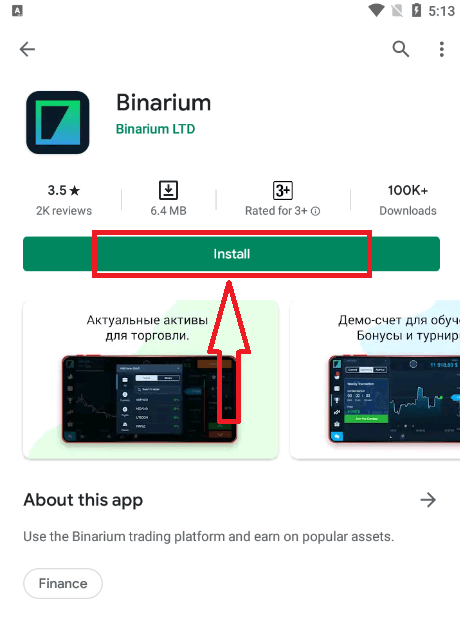
Wait for the installation to complete. Then you can sign up on Binarium App and login to start trading.
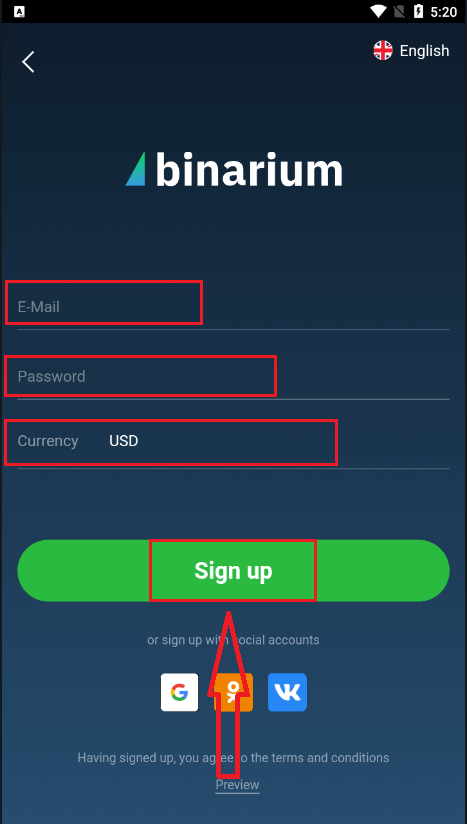
Actually, it is pretty simple to open an account through Android App. If you want to register through It, follow these easy steps:
1. Click "Create account for free" button
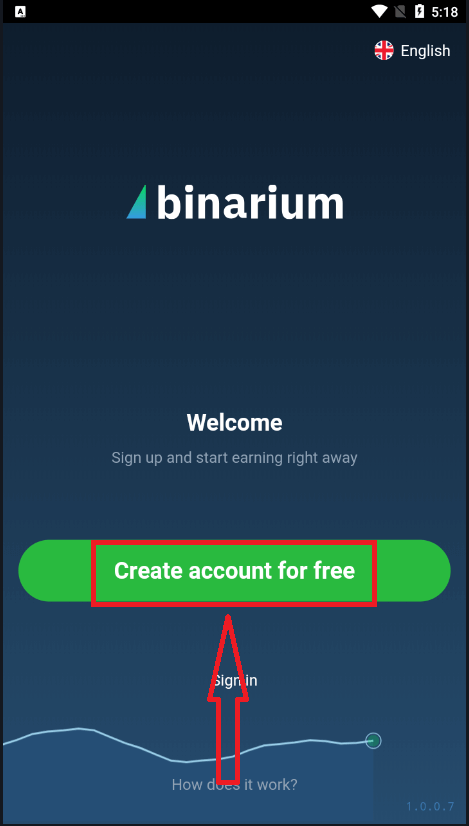
2. Enter a valid email address.
3. Create a strong password.
4. Select the currency
5. Click "Sign up"
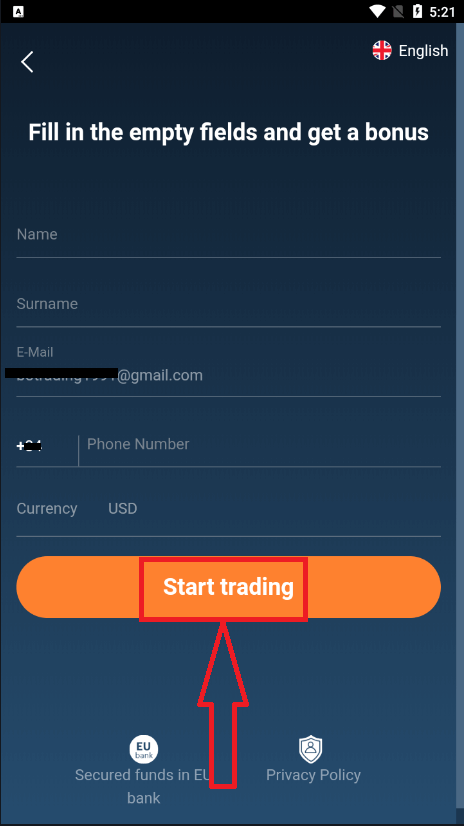
After that, fill in your information and click "Start trading" button
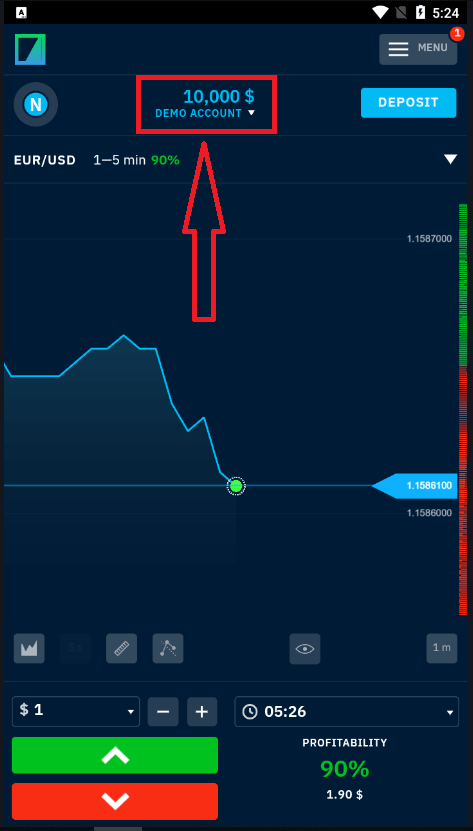
Congratulation! You have registered successfully, you have $10,000 in Demo Account. A demo account is a tool for you to get familiar with the platform, practice your trading skills on different assets, and try out new mechanics on a real-time chart without risks.
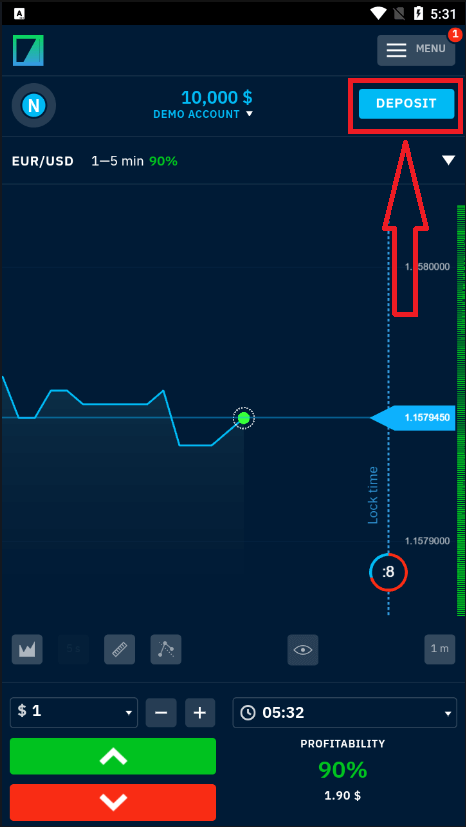
If you want to trade on real account, click "Deposit" to start trading with real money.
If you already work with this trading platform, log in to your account on Android mobile device.
What is the Advantage of the Binarium mobile app?
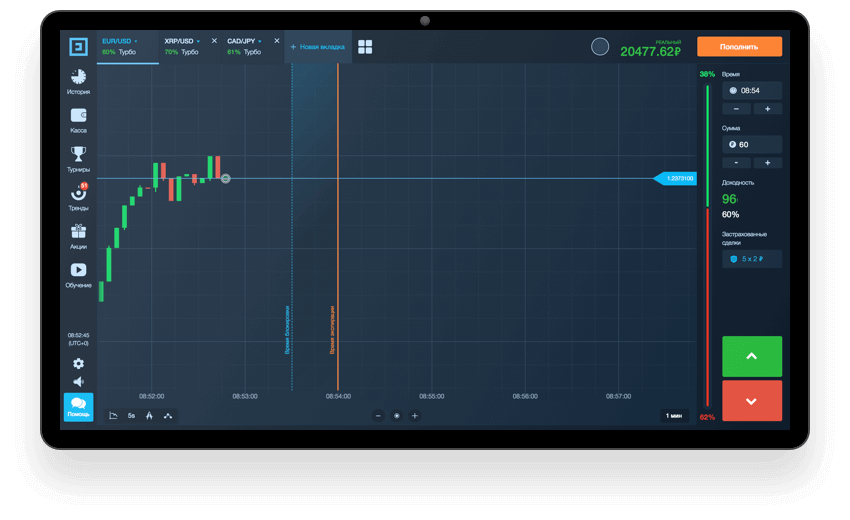
The Binarium mobile app is implemented for phones running on the Android operating system. It introduces its users to the platform itself, as well as tells them about popular strategies and allows them to trade on the platform after registration. The trading terminal has been translated into thirteen different languages, so the user can always choose the appropriate and more convenient one for him. You can also work with 11 different currencies, which also opens up a wide range of possibilities.
* Regular statistics on the Internet. Any price fluctuations will be displayed on your phone, so you will always be aware of the slightest changes in the trading market.
* Instant reaction to any action. If the user needs to close a trade, the operation will be performed immediately, because the creators of the Binarium application know more than anyone else that any delay costs money.
* Comfortable work.
Only with this platform will you face the possibility of taking a Deposit of just $ 5 or a deal of $ 1. At the same time, you can also open your own demo account, to which virtual money will be transferred, solely so that the user can check the entire service and its features. How do I install the app on my gadget? You can always download the Binarium app for free from this page. Before you trade test your trading strategies.
Conclusion: Seamless Trading with Binarium on Android
Downloading and installing the Binarium app on an Android device is a quick and easy process that provides traders with flexibility and convenience. By following the steps above, you can ensure a secure installation and enjoy smooth access to the trading platform. Always download the application from the official Binarium website to ensure security and reliability.
FAQs
Use the Google Play listing when available or get the official APK from Binarium's site. From Play Store tap Install; for APK open the downloaded file, allow installs from that source in Android settings, run the installer and grant requested permissions. After installation open the app, sign in with your credentials and complete any on‑screen verification prompts.
Minimum requirements vary by release; most trading apps need a relatively recent Android build, stable internet and sufficient RAM and storage. Check the app listing or the official download page for exact minimum Android version and recommended free space before attempting installation.
First free up storage and remove any partially installed copies. If installing an APK, confirm the file downloaded fully and isn't corrupted, enable installs from that source, and disable Play Protect temporarily if it's blocking the APK. If a previous version signed with a different certificate exists, uninstall it first. Reboot the device, try a different network, and download the APK again from the official source before contacting support.
Official trading apps typically request network and storage access and may ask for optional permissions depending on features. Verify safety by installing only from the Play Store or the broker's official download page, checking the publisher name and app signature, and avoiding third‑party app stores. Keep Android updated, review app permissions after install, and enable strong account authentication.
Update via the Play Store when possible or download the latest official APK; avoid side‑loading unknown builds. To preserve login state, use the app’s "remember me" option and avoid clearing app data before updating. Note that major updates or security checks may require you to re‑enter credentials or complete verification, so ensure your email/phone are accessible and two‑factor methods are set up if available.